Select your RO system

Tank RO
Proline-EZ
The classic under-sink RO system: a row of filter housings on a bracket, feeding a separate pressurized storage tank.
- Three or four tall filter housings hanging side by side
- A large white or blue metal storage tank next to it
- No power cord — it runs on your water pressure alone
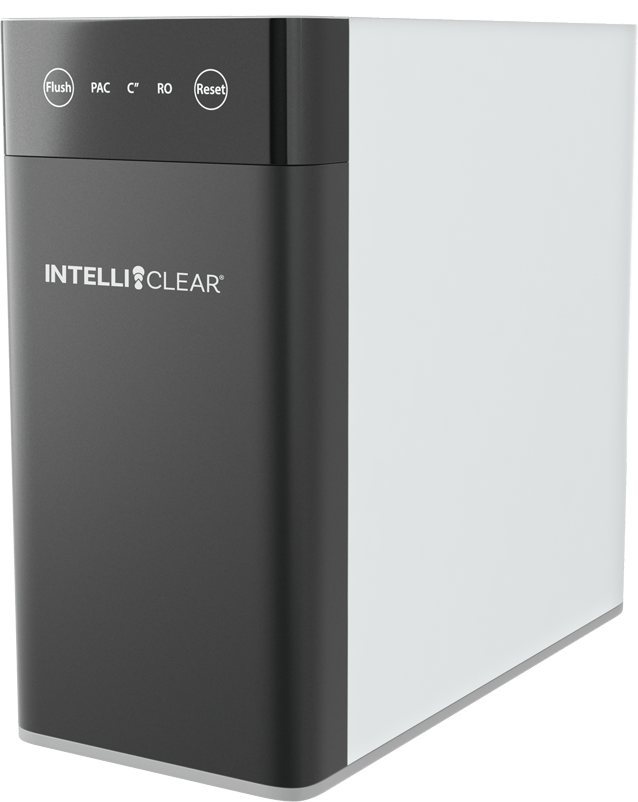
Tankless · 600 GPD
IntelliClear® RO600
Compact tankless unit with three replaceable filters. No storage tank, so it takes up far less room under the sink.
- Buttons across the top of the unit: Flush, PAC, C, RO, Reset
- Three filter indicator lights, one per filter
- A plain chrome drinking-water faucet with no display
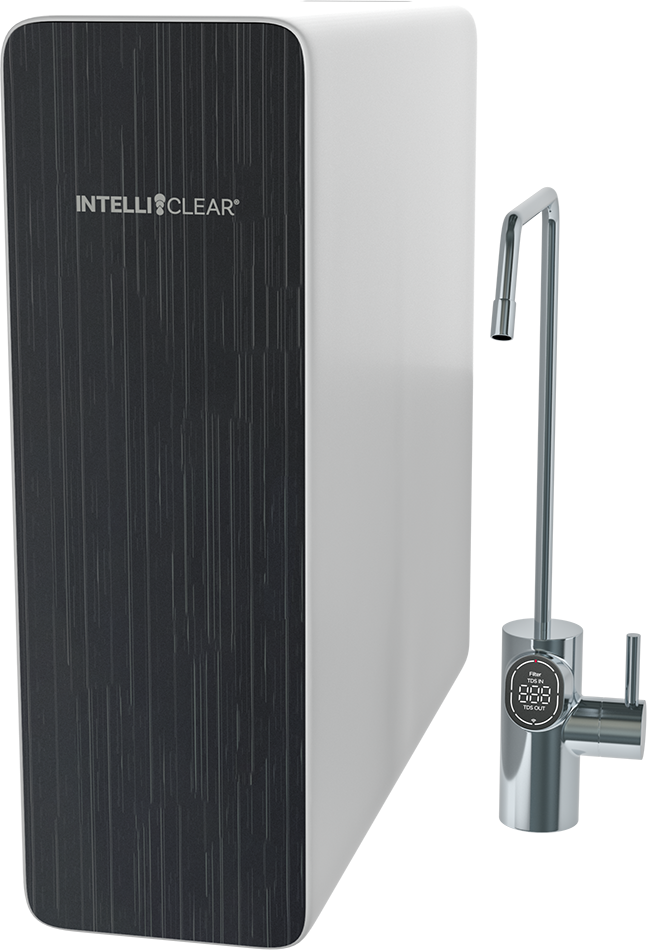
Tankless · 600 GPD
IntelliClear® Pro600
Tankless unit paired with a digital smart faucet. Only two filters ever need replacing, and the faucet shows you your water quality.
- The faucet has a digital display showing TDS in and TDS out
- Power and Reset buttons on the front panel, not the top
- Two filter indicator lights: PCB and RO
Still not sure which one you have? Send us a photo of the unit under your sink and we'll tell you which guide to use, plus exactly which filters to order. Text or email it to us using the buttons below.
Need a Hand?
Our team is available for service calls, tune-ups, and repairs throughout the Houston area.